Atomica S300 · Intraoral scanner
A lighter way
to scan.
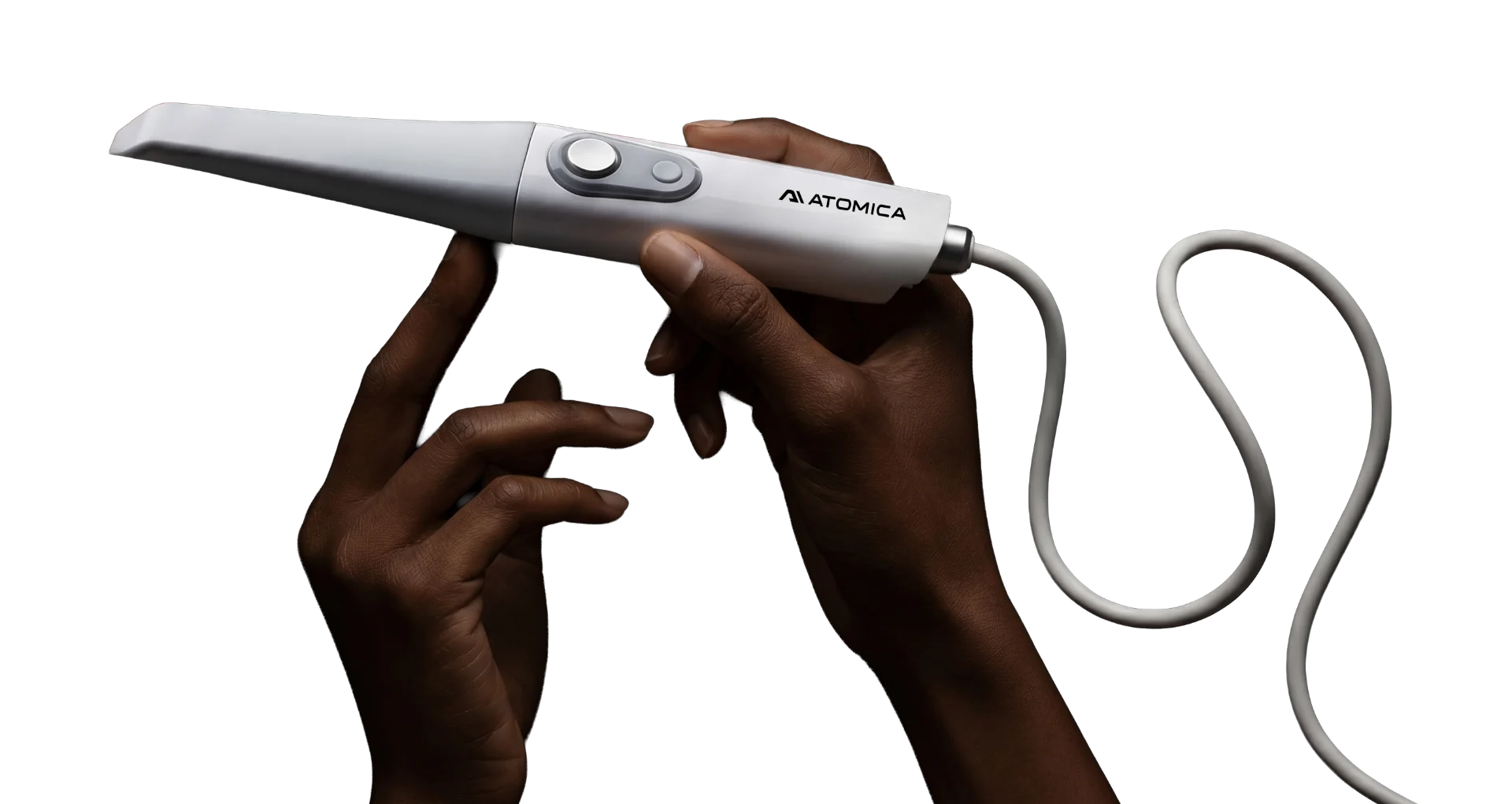
A 160 g handpiece. Open scan files. A clear starting point for restorations, appliances and implant workflows.
 Designed for the way you work.
Comfort in the details
Small in the hand.
Open in your workflow.
Capture digital impressions with a lightweight scanner that fits into the tools and lab relationships you already use.
Less weight, more freedom
The 160 g handpiece and replaceable cable keep the setup compact. Standard and mini tip options accommodate different scanning needs.
See more of the scan
A 16 × 14 mm standard scan area and scanning depth up to 25 mm support capture across varied anatomy.
Send the file where it belongs
Export STL, PLY or OBJ files to compatible design software or share scans with your preferred lab.
From impression to design
Scan. Design. Move forward.
Bring digital impressions into a workflow that fits the case.
- 01
Capture the case
Scan the required arches and bite records in the scanner software. Review coverage before export.
- 02
Choose your next step
Import compatible scans into Atomica for restorations, splints, models or implant planning.
- 03
Make or share
Send the design to a compatible production workflow, or collaborate with your lab on the next stage.
S300 specifications
The details, at a glance.
A compact wired scanner with standard file formats and removable, autoclavable scanning tips.
- Handpiece weight
- 160 g, excluding cable
- Dimensions
- 243 × 40 × 32 mm
- Connection
- USB-C
- Scanning depth
- Up to 25 mm
- Standard scan area
- 16 × 14 mm
- Mini scan area
- 12 × 10 mm
- Export formats
- STL, PLY, OBJ
- Computer platform
- Windows
Manufacturer specifications. Confirm computer requirements, included tips and regional configuration with our team.
A few useful answers
Before you begin.
Can I use the scanner with my existing lab?
Yes. The S300 exports open STL, PLY and OBJ files. Your lab can confirm the file format and records needed for each case.
Does it work with Atomica?
Compatible scan files can be imported into Atomica’s design applications. Each workflow has its own input requirements; implant planning, for example, may also require CBCT data.
Are software fees included?
The scanner’s published offer includes its scanning software. Atomica design services and AI export credits follow their own pricing. Review the current offer for the exact package.
Do I need a specific computer?
The S300 uses a compatible Windows computer. Before ordering, our team can check your processor, graphics, memory and USB connection against the current system requirements.
See it in your workflow
See the S300 in action.
Explore the scanner, review a sample workflow and confirm the right configuration for your practice.
Connected by your workflow